







How to Photograph Artwork for High-Quality Prints (Step-by-Step Guide)

A beautiful piece can lose its impact the moment it’s printed if the photo isn’t right. Colors shift, details soften, and suddenly your work no longer feels like your own. Learning how to photograph artwork for print is what ensures your digital file truly represents what you created.
You don’t need a full studio setup to get there. With the right approach to lighting, camera settings, and editing, you can create print-ready images that hold up even at larger sizes.
Why accuracy matters when preparing artwork for print
When you photograph artwork for social media, small imperfections often go unnoticed. Printing is less forgiving. Every detail becomes more visible, especially on larger formats like canvas or fine art paper.
The goal is simple. Your print should match your original as closely as possible in color, contrast, and sharpness. That requires control over your setup from the start.
Lighting is everything
If there is one thing to get right, it is lighting. Poor lighting creates uneven tones, glare, and color distortion that can be difficult to fix later.
Use a simple copy lighting setup
A reliable method used in professional photography is copy lighting. This means placing two light sources on either side of your artwork at a 45-degree angle. This setup helps distribute light evenly and removes harsh shadows.
If you notice reflections or hotspots, adjust the angle slightly until the surface looks balanced.
Natural light works well
If you have access to soft daylight, use it. Place your artwork near a window with indirect light. Avoid direct sunlight, as it creates strong contrast and unwanted glare.
Improve artificial lighting
If you are using a lamp or studio light, soften it to avoid harsh shadows. You can place a thin diffusion material in front of the light or bounce light back onto the artwork using a white surface like foam board.
This small adjustment can make your lighting feel much more even and controlled.
Set up your artwork carefully
Before taking the photo, make sure your artwork is positioned correctly.
Keep it flat and straight
If your artwork is on paper, mount it securely so it stays completely flat. Any bends or curves will show up in the final image.
Position your camera at eye level
Your camera should be directly in front of the artwork, centered and parallel. Shooting at an angle will distort proportions and make editing more difficult later.
Keep the background simple
If the artwork is not mounted, use a clean and neutral background. This keeps all attention on the piece itself.
Choosing between a camera and a smartphone
A professional camera gives you more control, but it is not essential. Modern smartphones are capable of capturing high-resolution images that work well for prints.
What matters most is how you use the device.
If you use a smartphone
Follow these steps to improve your results:
- Use the highest resolution available in your settings
- Clean the lens before shooting
- Stabilize your phone using a tripod or a solid surface
- Keep the camera perfectly parallel to the artwork
- Tap to focus and adjust exposure manually
- Enable RAW format if your phone supports it
These small adjustments can dramatically improve sharpness and color accuracy.
Camera settings that improve print quality
If you are using a DSLR or mirrorless camera, a few settings make a big difference.
- Keep ISO low to avoid noise
- Use an aperture between f/8 and f/11 for consistent sharpness
- Adjust shutter speed depending on your lighting setup
- Set white balance manually instead of relying on automatic settings
A tripod is highly recommended. It keeps your image sharp and your framing consistent.
How to photograph paintings for print without glare
Paintings can be more challenging due to texture and reflective surfaces.
When working on how to photograph paintings for print, your main goal is to control reflections without losing detail.
Adjust light angles
Even small shifts in your lighting position can remove glare. Move lights slightly outward or inward until reflections disappear.
Use a polarizing filter
A polarizing filter can reduce reflections and help colors appear deeper and more accurate. This is especially useful for oil paintings or varnished surfaces.
Balance texture and light
Texture can create shadows. Make sure your lighting highlights detail without exaggerating it too much.
Editing your photos for accurate color
Even with a good setup, editing is part of the process. The goal is not to improve the artwork, but to match it.
Focus on color correction
Compare your photo with the original artwork in neutral lighting. Adjust brightness, contrast, and white balance until the colors feel true.
If your image looks too warm, shift the temperature slightly toward blue. If it looks too cool, adjust toward yellow. Small changes are often enough.
Clean up the image
Crop the image so the edges are straight and aligned. Remove dust or small imperfections that may have appeared during shooting.
Use simple tools
Programs like Photoshop or Lightroom offer full control, but simpler tools can also work well. Apps like VSCO allow you to adjust color and exposure without overcomplicating the process.
Resolution and file quality for printing
To get sharp prints, resolution matters.
Aim for 300 DPI at your intended print size. This ensures your image holds detail and does not appear pixelated.
If you plan to offer multiple sizes, capture your artwork at the highest resolution possible. This gives you more flexibility later.
For a deeper understanding of how size and resolution affect your results, you can follow this file size guide for artwork.
Preparing your files for print-on-demand
Once your image is ready, it needs to be exported correctly.
- Use a consistent color profile such as sRGB
- Export high-quality JPEG or TIFF files
- Double-check that dimensions match your intended print sizes
A well-prepared file ensures your artwork looks consistent across different formats. If you want a more detailed walkthrough, this guide on preparing your art files for Printumo can help.
Turning your artwork into prints you can sell
Once you feel confident in how to photograph artwork for print, you are ready to turn your files into products.
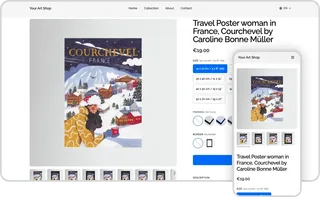
With Printumo, you can upload your artwork and offer it as canvas prints or fine art paper prints without managing production yourself. When someone places an order, the artwork is printed and shipped directly to the customer.
This allows you to focus on creating and building your audience while still offering high-quality physical products. If you want to take it further, this guide on how to sell art online can help you build a more structured approach.
Sell your art with Printumo
Get started with selling your art as canvas and fine art prints
Common mistakes to avoid
Small issues can affect your final result more than you expect.
- Shooting from an angle instead of straight on
- Mixing different light sources
- Ignoring color accuracy during editing
- Exporting files at low resolution
- Relying entirely on automatic settings
Avoiding these mistakes will improve your print quality immediately.
Build a simple and repeatable workflow
Consistency becomes important once you start producing multiple prints.
Use the same setup each time. Keep your lighting, camera position, and editing process consistent. This helps your work look cohesive across different pieces and builds trust with buyers.
Conclusion
Once you understand how to photograph artwork for print, everything becomes more predictable. Your prints will reflect your original work more accurately, and you can create with confidence knowing how it will translate.
Start with a simple setup and refine it over time. With practice, your process becomes faster, and your results become more consistent.

.webp?locale=sv)
.webp?locale=sv)